
Hello and welcome again, its been a while since I wrote a blog post. Obviously been busy with other stuff, Enough of my stuffs lets get into the title.
let’s start with a small and nice script, One of my colleague asked me to let him know how many Admin users are there in the Citrix cloud.
Obviously for monthly account audits. Before getting into the script do the pre-requisites Click here (How to connect to Citrix cloud )
Lets get into the code now.
Add-PSSnapin citrix.*

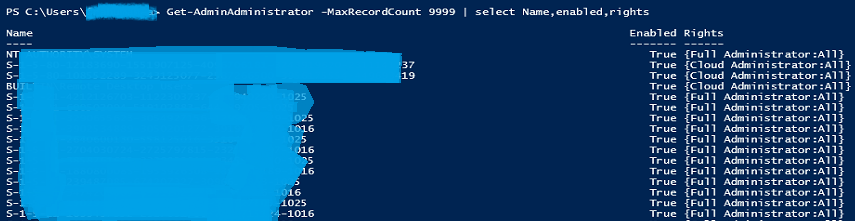
Get-AdminAdministrator -MaxRecordCount 9999 | select Name,Enabled,rights
Here comes the explanations: Starting with the adding the PS-Snapins, which loads the Citrix commands into the Powershell for you to use.
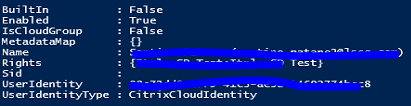
Now comes the Killer one line: Get-AdminAdministrator. This command will get you all the necessary information shown below. The MaxRecordCount is to display all I went with 9999 the default is 249.
From the above we can just filter the information that will make use decision much quicker, Will pipe the result and select the requires fields shows in the script above.
Hopefully this small and quick blog post helped someone. Until next time.
 YooAdmin